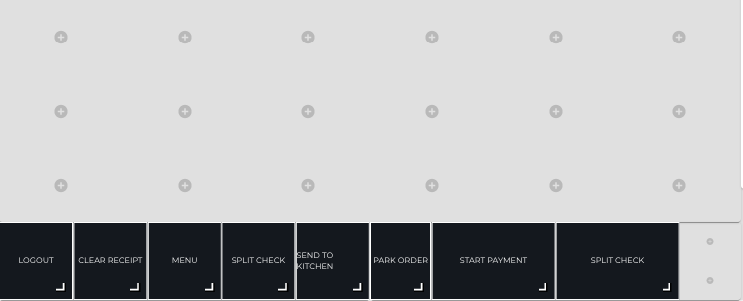
By using the Custom Footer feature you can create a separate row of tiles which is always visible in the bottom of the screen. This way you can easily display the most commonly used functions in the POS at all times.
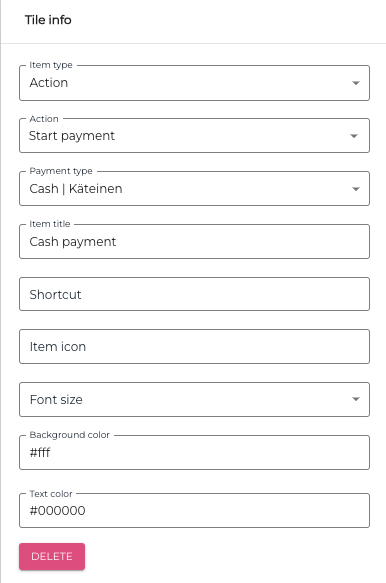
You can add Start Payment tiles for the most common payment methods by clicking on the ⊕ icon (Add New Tile) in the custom footer, and then filling out the details for the tile:
-
Item Type: Action
-
Action: Start Payment
-
Payment type: Select the Payment type
-
Item title: Give the tile a descriptive title.
You can also enter the following additional information for the tile, if you wish:
-
Shortcut
-
Item Icon
-
Font size
-
Background Color
-
Text color