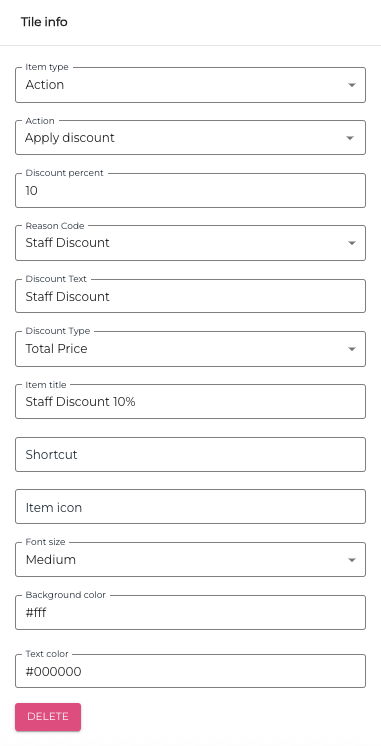
In this example we create a tile for giving staff discount for the total price of the products in the Basket.
Start by selecting a POS Layout, and clicking on the Add New Tile icon. 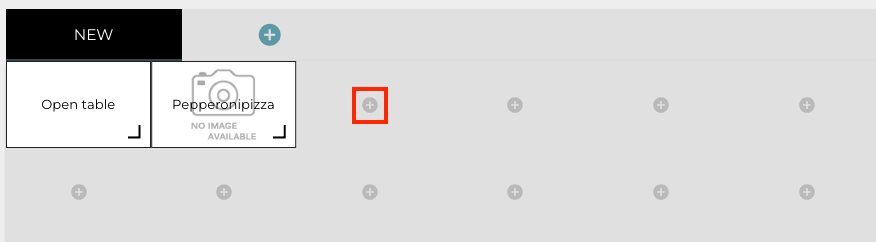
Enter the tile at least the following details in the Tile Info:
-
Item Type: Action
-
Action: Apply Discount
-
Discount percent: Enter the discount percent for staff purchases.
-
Reason Code: Select a reason code, if applicable,
-
Discount Text: Enter the text which will be visible in receipts where the discount has been applied.
-
Discount type: select One product, Category or Total price.
-
Item title: Give the tile a descriptive title.
You can also enter the following additional information for the tile, if you wish:
-
Shortcut
-
Item Icon
-
Font size
-
Background Color
-
Text color